
Website migrations are one of the most common causes of sudden ranking drops in organic search. We have seen it happen time and time again. A business invests in a new website, launches it, and within days, their organic traffic completely drops.
Whether you’re moving to WordPress from Wix, Squarespace, a custom-built CMS or even between WordPress builds, the risks are the same: URL structures change, internal links break, content shifts and search engines lose the signals they’ve been relying on to rank your site.
The tips in this guide apply to any web migration, but because CMS-to-WordPress moves are what we do most at Trio, that’s where the main focus is.
TL;DR: How do you protect SEO during a website migration?
Protecting SEO during a website migration means preserving the signals search engines use to understand your website.
The most important steps include:
- Auditing the existing website to identify your highest-value pages
- Mapping all existing URLs to their new WordPress destinations
- Implementing 301 redirects correctly, without chains or loops
- Preserving key on-page SEO signals like titles, headings and internal links
- Testing the new WordPress site thoroughly before launch using technical crawl tools
- Monitoring indexing, rankings and crawl behaviour after launch
Most migration-related ranking losses happen because redirects are missing, high-value pages are removed during a redesign or search engines can’t efficiently crawl the new site structure.
When migrations are carefully planned, search engines can transfer rankings and authority to the new site with minimal disruption and in many cases, performance actually improves post-migration.
How Trio protects SEO during website migrations
At Trio, migrations are managed through a structured process that preserves rankings while strengthening the website’s technical foundation. Our approach follows three phases:
Phase 1: Pre-migration SEO planning
Most migration failures occur during the planning stage. Before any development begins, it’s key to understand exactly which pages generate the most SEO value and make sure those pages are protected throughout the process.
1. Complete a full SEO audit
An SEO audit identifies the most valuable pages on the website. These are the pages you absolutely can’t afford to lose during a migration.
Key metrics to analyse include:
- Organic traffic: Which pages drive the most visits from search
- Keyword rankings: Which pages rank for high-value terms
- Conversions: Which landing pages generate leads or sales
- Backlinks: Which pages attract the most external links
- Indexed pages: What Google currently knows about your site
These pages represent the SEO equity of the website. Removing or altering them without planning is one of the fastest ways to lose your organic visibility and performance.
Tools commonly used at this stage include Google Search Console, Screaming Frog, Ahrefs, Semrush and Google Analytics.
2. Export all existing URLs
Before changing any URLs, you need a complete list of every page on the current site. This is especially important when migrating from proprietary or legacy CMS platforms where URL structures can be unpredictable.
This typically means exporting URLs from:
- XML sitemaps (if the old CMS generates them)
- Site crawls – Screaming Frog is important here, particularly for older CMS platforms that don’t have clean sitemaps
- Google Search Console indexed pages
- Analytics landing page reports
This list becomes the foundation for the redirect mapping process. If a page isn’t on this list, it risks being forgotten during migration, and forgotten pages are where ranking losses hide.
3. Create a redirect mapping document
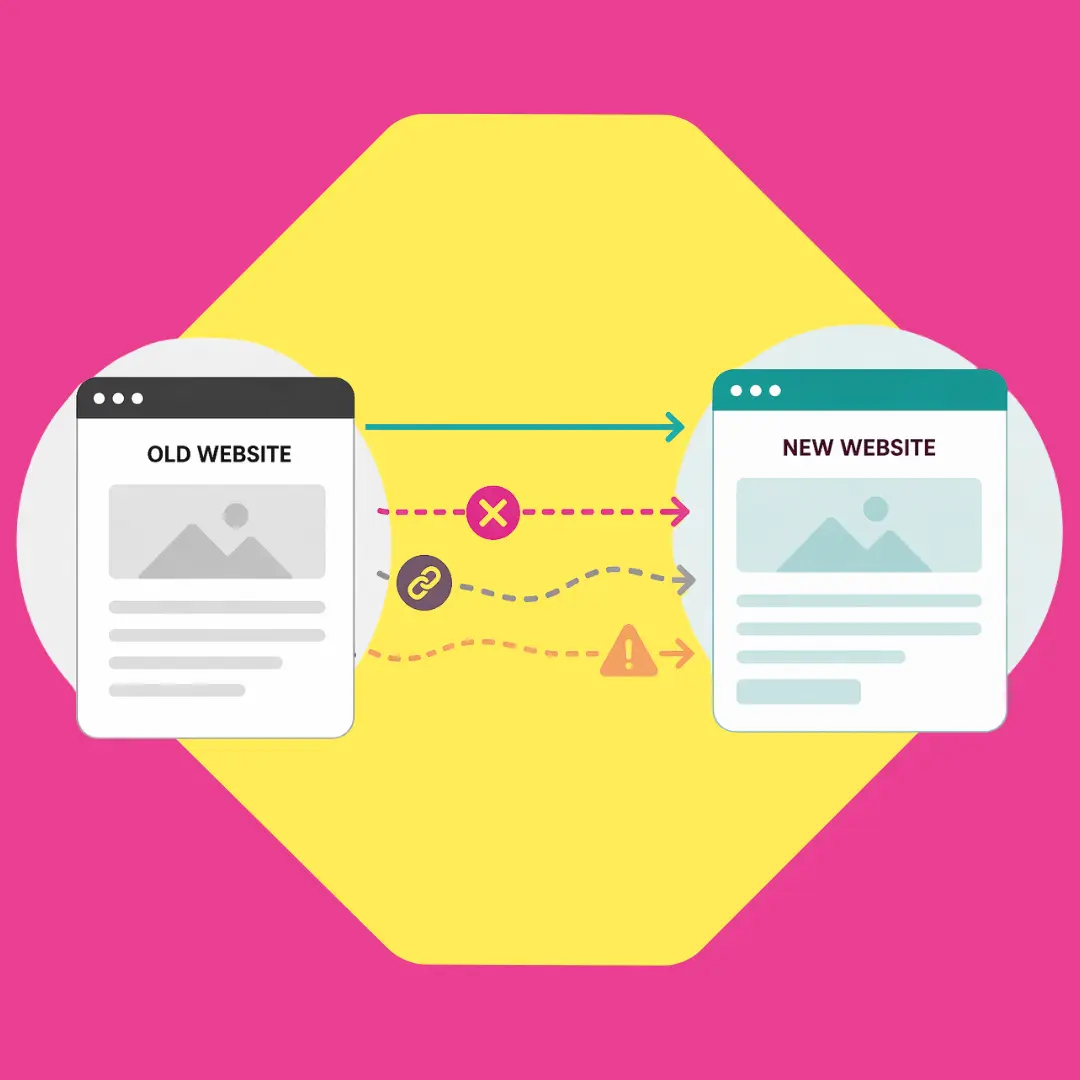
This is one of the most important documents in any migration project. A redirect map connects every old CMS URL with its corresponding new WordPress URL.
Example structure:
Old CMS URL → New WordPress URL
This is often where migrations become more complex. Different platforms generate URLs in completely different formats:
- Wix uses hashed paths
- Joomla often includes component parameters
- Drupal uses node-based paths
- Bespoke CMS platforms can have virtually any structure
- WordPress uses a clean permalink structure that you can configure
Before building redirects, set your WordPress permalink structure first. We typically recommend a simple /%postname%/ structure for most sites, or /%category%/%postname%/ where category hierarchy matters for SEO. Getting this right at the start avoids having to change it later and creating a second round of redirects.
Proper redirect mapping helps keep:
- Existing rankings: Google can transfer signals to the new WordPress URL
- Backlink authority: External links continue to pass value
- User navigation: Visitors following old links still reach the right content
If a page is being removed or merged, it should still redirect to the most relevant new page. Never leave old URLs pointing at 404 errors if you can avoid it.
Phase 2: Technical SEO implementation
Once the migration plan is in place, the focus shifts to technical SEO. This is where the actual SEO protection happens and where mistakes are most costly.
1. Implement 301 Redirects
301 redirects tell search engines that a page has permanently moved. They’re the mechanism that allows rankings and backlink authority to transfer from the old CMS URL to the new WordPress URL.
Key redirect principles:
- Avoid redirect chains: The old URL should redirect directly to the final WordPress URL, not through multiple hoops.
- Avoid redirect loops: Where two URLs redirect to each other.
- Prioritise one-to-one redirects: Each old page should map to a specific new page, not a generic homepage redirect.
- Implement at server level where possible: Server-side redirects via .htaccess (Apache) or Nginx config are faster and more reliable than plugin-based redirects.
WordPress-specific redirect options:
For WordPress migrations, you have several implementation options. Server-level redirects via .htaccess are the most effective. If that’s not accessible, plugins like Redirection or Rank Math’s built-in redirect manager can handle the mapping within WordPress itself.
For large-scale migrations with thousands of URLs, we usually recommend a combination of server-level for the bulk pattern-based redirects and a plugin for managing individual edge cases.
Incorrect redirect implementation is one of the single biggest causes of ranking loss during migrations. Get this wrong, and you’re essentially telling Google that your old pages have vanished.
2. Preserve key on-page SEO signals
Search engines rely on consistent page-level signals to understand relevance. During a migration, it’s usually best to maintain the core elements that are already performing well.
These include:
- Page titles: Keep them consistent with what’s already ranking
- H1 headings: The primary heading should still reflect the page topic
- Core content: Don’t rewrite high-performing pages during a migration
- Internal links: Make sure contextual links still point where they should
- Schema markup: Preserve any structured data that’s already in place
- Canonical tags: Make sure these point to the correct new WordPress URLs
One of the advantages of moving to WordPress is that managing on-page SEO becomes significantly easier. Plugins like Yoast SEO or Rank Math give you control over titles, meta descriptions, canonical tags and schema, features that many legacy CMS platforms either lack entirely or bury deep in configuration. But this control is only valuable if you first carry over the existing performing signals, then optimise from there.
Changing too many elements at once makes it harder for search engines to recognise that the new page is the same as the old one. My advice: keep structural changes minimal at launch, then make improvements once rankings stabilise.
3. Keep the internal linking structure
Internal links play a massive role in helping search engines understand site architecture and distribute authority across pages. During migrations, internal linking often breaks due to URL changes, and broken internal links are among the most common crawl issues we find in post-migration audits.
This is particularly common in CMS-to-WordPress migrations because internal links hardcoded in the old CMS content will still point to old URL patterns. WordPress won’t automatically rewrite these.
Before launch, update:
- Navigation menus
- Footer links
- Contextual internal links within page and post content
- Breadcrumb navigation
- Any widget or sidebar links
A full site crawl with Screaming Frog before launch will flag any remaining broken internal links that need fixing.
4. Validate technical SEO signals
Before launching the new WordPress site, several technical elements need to be checked. This is the kind of work that separates a clean migration from one that causes months of recovery.
Validate:
- robots.txt configuration: WordPress generates its own robots.txt; make sure it’s not blocking important content (and remove any staging-environment blocks).
- Canonical tags: Each page should self-reference or point to the correct canonical. Plugins like Yoast handle this, but check they’re pointing to the new URLs, not the old ones.
- XML sitemaps: WordPress SEO plugins generate these automatically, but verify they include all key pages and exclude anything you don’t want indexed.
- Structured data: If the old site had schema markup, ensure it’s replicated or improved in the WordPress build.
- Hreflang tags (if applicable): Updated for the new domain/URLs.
- Indexation directives: No accidental noindex tags carried over from the WordPress staging environment.
That last one is critical. WordPress has a built-in “Discourage search engines from indexing this site” setting under Settings > Reading. If this was ticked on staging (which it should have been), it must be unchecked before launch. I’ve seen this single checkbox cost businesses weeks of lost visibility because their agency didn’t check it on launch day.
Phase 3: Monitoring SEO after a migration
Even when migrations are executed carefully, some short-term fluctuations in rankings are normal. Search engines need time to process redirects, re-crawl the new WordPress site and update their index.
Post-launch monitoring should focus on:
- Indexing status: Are new WordPress pages being indexed? Are old CMS pages being dropped?
- Crawl errors: Spikes in 404s or server errors often indicate missing redirects.
- Redirect performance: Are redirects being followed correctly without chains?
- Traffic changes by landing page: Which specific pages gained or lost traffic?
Google Search Console is often the fastest way to identify issues. We typically check it daily for the first few weeks after a migration, then weekly until performance stabilises.
How SEO and AEO fit into website migrations
Search behaviour is changing as AI-driven search experiences become more common. Google AI Overviews, Perplexity, ChatGPT and Gemini all rely on structured, well-organised content to generate their answers.
This means migrations should now preserve not only traditional ranking signals but also the structured signals that AI systems rely on.
These include:
- Clear page structure with logical heading hierarchy
- Well-organised content that answers specific questions
- Schema markup – FAQ, HowTo, and entity-level structured data
- Concise, expert-level explanations that AI can extract and cite
WordPress actually makes implementing this easier than on most platforms. Between SEO plugins for schema, block editors for structured content and theme flexibility for heading hierarchy, WordPress gives you much better control over the signals AI systems look for.
At Trio, migrations are planned with both traditional SEO performance and AI visibility (AEO) in mind. The structured content patterns that help AI systems understand your site are the same ones that improve traditional rankings, so this isn’t extra work; it’s smarter work.
If you want to understand more about how AI search is changing SEO, our guide on whether AI means SEO is dead covers this in more detail.
Migrating to WordPress? Let's protect your rankings.
From redirect mapping and technical SEO to AEO visibility, we help businesses migrate to WordPress without losing the search visibility they’ve spent years building. If you’re planning a migration, speak to our team.
FAQs
It depends on the scale of the migration and how well it was planned. For well-executed migrations, we typically see rankings stabilise within a few weeks. Larger restructures, particularly where URL formats change dramatically or content has been heavily rewritten, can take a few months.
The key is catching issues early. We can monitor log files, Search Console and rankings closely after every migration so we can spot and fix problems before they compound.
We follow a structured process. In practice, we:
- Audit your existing site to identify the pages that matter most
- Build a complete redirect map from your old CMS URLs to the new WordPress structure
- Preserve your on-page SEO signals
- Test the new site thoroughly before launch
- Monitor indexing, rankings and crawl behaviour until everything stabilises
- Look at advanced signals that most agencies miss, such as crawl budgets, backlink equity, entity continuity and log file analysis.
Yes, and we see this regularly. Moving to WordPress from a less flexible CMS often gives us the chance to fix long-standing technical issues, clean up site architecture, implement proper schema markup and structure content for both traditional search and AI visibility.
When the migration is done right, the new site creates a much stronger foundation for growth. Several of our recent migrations have resulted in organic traffic increasing within a few months of launch.